
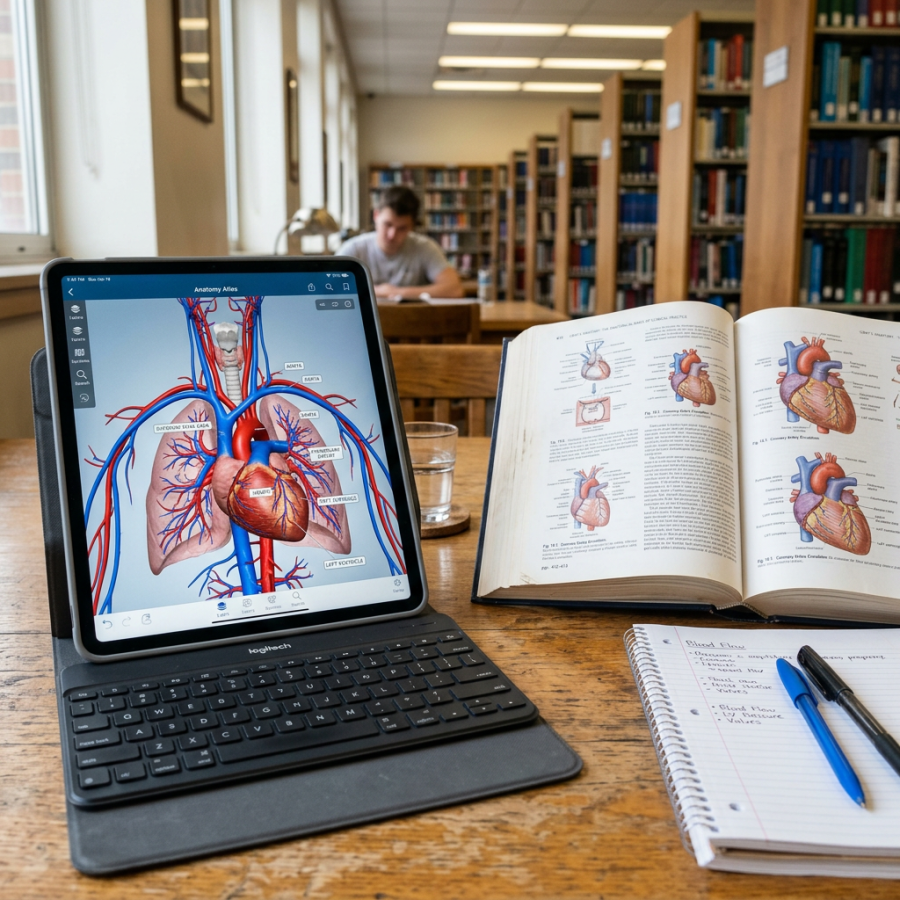
Tablet showing detailed heart anatomy app next to open medical textbook and handwritten notes

Will the Apple iPad Transform Medical School Education?

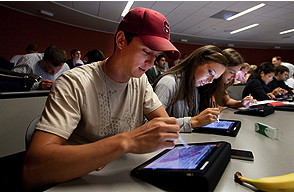
The new class of medical students is being weaned away from pencil and paper to digital learning BY TRACIE WHITE First-year medical students Jonathan Dunlap, Lizzy George and Stacie Vilendrer learn how to use their new iPads for lectures and studying, as part of a training for the new class that the School of Medicine provided on Aug. 20. Steven Sloan pointed to his laptop screen, which displayed a tiny diagram of a molecular structure that he needed to memorize for his molecular foundations of medicine class. He was hanging out in the student lounge along with several other Stanford medical students a few weeks after the start of the new school year. “You can’t even see that,” said Sloan, a University of Miami graduate, who squinted at the image on his computer screen. “But on the iPad, you can just touch the screen to enlarge it.” Then he reached into his backpack to pull out his new iPad, eager to show off its amazing imaging technology. Sloan is one of the 91 medical and master’s of medicine students who began class Aug. 23 with school-provided iPads for the first time. In addition to getting used to the intensive first-year course load — diving into applied biochemistry and disease mechanisms, genetics and anatomy — the students are experimenting with their iPads trying to figure out how to best use the mobile devices to enhance learning. Stanford’s medical school joins a small but growing group of educational institutions across the nation experimenting with iPads as a way to lighten the load of textbook-toting students, and to learn how best to teach an extremely tech-savvy generation of students who’ve grown up in a wired world. RELATED NEWS “So far so good,” said Brian Tobin, the school’s instructional technology manager who helped hand out the iPads on Aug. 19 during orientation week, adding that it’s still a work in progress. “Everyone is doing their own thing,” said Tobin “Some students are learning on it really well. Others have decided that laptops are still the best option. Some still use paper. And others use some mix of all three.” Tobin had earlier addressed the students at an Aug. 20 tutorial on how to use their iPads  and had pointed to a 2-foot pile of binders. “This is the material for one course,” he said. “We want to get you started going paperless. There’s a lot less for you to carry around. … We want you to use the iPad when working with your cadavers in anatomy, or viewing slides in pathology.” But because this is breaking new ground, he added that the faculty want to see how the students decide to use the iPads themselves. “No one has to use the iPad exclusively, or even at all,” Tobin told the students. Jamie Tsui/Stanford EdTech Staff help students Aug. 19 to set up the iPads they just received. An early head count shows 68 students are using the iPad exclusively for note taking; eight are using laptops exclusively; about eight more are using the paper version of the course syllabus; and the rest some variation thereof. School officials will conduct regular surveys to gauge how the students choose to use the devices as the semester progresses. Sloan and two friends who were in the student lounge the second week of school talked about how everyone uses the iPad a bit differently, each adapting the device’s strengths to their own preferences for how best to study and learn. There’s a lot of excitement about the devices, mixed in with a twinge of skepticism and an appreciation for the school’s willingness to try something new. Christine Nguyen, a Yale University grad, said she uses the iPad about 20 percent of the time, and uses her laptop the remainder for studying and in lectures. But she loves it for anatomy. In anatomy class, students have traditionally used colored pencils to shade in the various body parts in an anatomy manual. “Look at this,” Nguyen said, pointing to the rainbow of colors in an iPad program used for annotating documents. Simply touching a different color changes the highlighting. “It’s so useful for drawing in anatomy class. It’s a lot of fun. You customize it the way you want to use it.” Norbert von der Groeben Second-year student Stesha Doku, who offers iPad lessons, stands next to one course’s syllabus, which can now be stored on the device instead of carried in a knapsack. The iPads are equipped with iAnnotate, a note-taking software program that enables students to write directly onto text, to sketch diagrams, to copy text and add highlights or underline with the drag of a finger. Some of the students’ textbooks are available digitally, and school officials hope more electronic texts will be in the future to further lighten the load of the students’ backpacks and save on paper. Henry Lowe, MD, senior associate dean for information resources and technology, said he uses an iPad himself as a physician and found the device extremely helpful. “It’s quite popular with physicians,” he said. “Physicians are mobile. They move around from clinic to clinic, from patient to patient. It’s a nice, lightweight, portable device.” First-year medical student Abdullah Feroze of New Mexico, who described himself as a “paper-and-pencil” kind of guy, appreciated that learning how to use an iPad now could be beneficial for his future as a doctor, given the move toward electronic health records for patients. “It will be an interesting experiment,” he said.


Scott Rennie, D.O.
Board Certified in Obesity Medicine and Family Medicine

This blog is for educational purposes only and does not constitute individual medical advice. Always consult your own physician before making changes to your health, medications, or treatment plan.
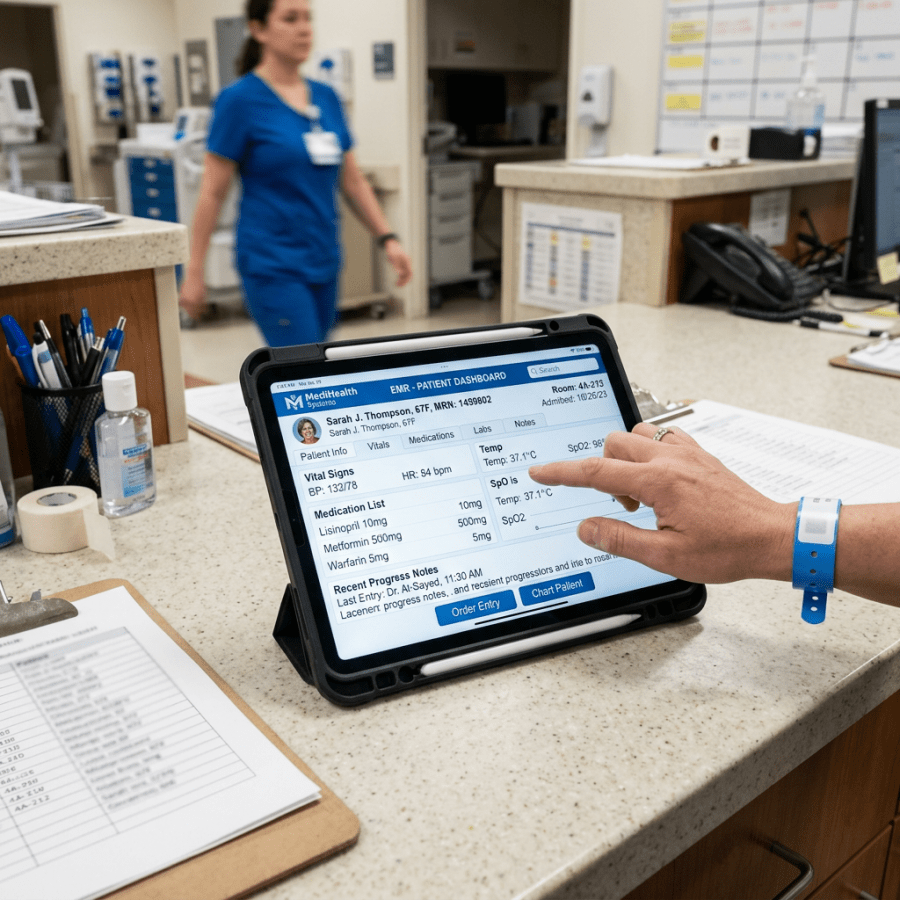
Tablet displaying electronic medical record dashboard with patient vitals and medication list

Why the iPad Will Beat Android Tablets for Hospitals

on 03/10/11
  Earlier this week, one of our senior editors, Felasfa Wodajo, published a fantastic piece stating why Android tablets will beat the iPad for hospital use. His piece received significant comments, with people both agreeing and disagreeing. Although I agree with many of his views about how medical apps will be consumed in the future, I respectfully disagree with his overall assertion. The Apple iPad will beat Android tablets for hospital use because of four key reasons: 1) The iPad’s head start — Apple basically creating the “new tablet” category 2) Apple’s and enterprise — their interest in medical use 3) Lack of fragmentation 4) Massive quantities of data on how to utilize the iPad in a hospital setting — the most important reason First, I want to say I agree with Felasfa’s assertion that medical apps in a hospital setting will be home grown. This strikes down the argument many make for the iOS (iPhone & iPad) platform’s superior app community compared to Android. No matter how much more vibrant the iPad’s medical app ecosystem is when compared to Android, this will not affect how hospital systems decide to use tablets. Hospitals will decide to make home grown apps or customized apps, and the utility of these apps will be their ability to be seamlessly interwoven into the EMR system.

The iPad’s head start

The first iPhone 2G was released in July, 2007 — and it revolutionized the mobile ecosystem.  Ever since, phone manufacturers have been playing catch up.  Only with the release of the HTC Evo, released in June 2010, did we see an Android product that compared favorably against the iPhone.  It took almost 3 years for competitors to catch up. This is the same paradigm tablet makers currently face, and it would not be surprising for the same timeline to been seen.  Although the Galaxy Tab and the Motorola Xoom show promise, they are not up to par with Apple’s iPad 2 from a hardware standpoint.  Sure, they might have a higher megapixel camera, but would you rather have a faster and thinner tablet, with a longer battery life, or a point and shoot camera tablet? The most important part of the iPad’s head start is the sheer number of tablets sold.  Over 15 million units in less than a year.  The Android Galaxy Tab, considered the most successful Android tablet, hasn’t even sold 2 million units yet, and their sales numbers have fallen under recent scrutiny for being inflated.  The volume of iPads sold has created a legion of users who already know how to use Apple’s operating system.  To expound on this, the argument that Apple’s iPad has essentially the same operating system as the iPhone and iPod Touch is actually seen as an advantage in regards to medical professionals.  In healthcare, many view technology as a hindrance due to the learning curve it requires — the iPad significantly reduces the learning curve due to the operating systems ubiquitous nature. Learning Android’s tablet operating system, Honeycomb, would be a significant learning curve for health care professionals, not mention they would be required to learn the electronic medical record (EMR) as well.  Hospital administrators could soften the blow of learning a new EMR by at least providing a familiar ecosystem for users.

Apple and Enterprise

Contrary to their history, Apple has shown an interest in Enterprise solutions, and Fortune 500 companies are taking note.  In Apple’s 4.0 release of their operating system, they specifically built in enterprise features for the iPad.  In their keynote speech for the iPad 2, Apple featured a video showing how many industries were using the iPad for business, even specifically mentioning its medical uses — by showing its use for patient education and EMR in the hospital setting. Furthermore, Apple has already collaborated with hospitals to help integrate the iPad into the clinical workflow.  The University of Chicago’s internal medicine residents use the iPad in the hospital setting to improve their workflow, using it to chart patient data, and for patient education.  When a University of Chicago resident e-mailed Steve Jobs telling him of how the residency program was using the iPad in the hospital, Apple executives came to the University hospital and offered assistance — Clearly showing Apple is paying attention [refer to below embedded video]. In regards to making home grown apps, medical institutions are already doing this.  The medical college of Georgia has made a suit of applications for their health science graduate students, ranging from medical calculators to medical reference tools.

Anti-Fragmentation

The second greatest reason why Android is destined to fail in the hospital setting is because of fragmentation issues.  This has been a key reason why it has taken many medical app developers, such as Epocrates and Medscape, so much time to transition to the Android platform.  And if you look in the comments section of our Medscape review, you’ll see that users are still having issues with various types of Android phones and operating systems. Android is open, yes — but the same openness that has enabled it to pass Apple’s iPhone in market share is also the reason why it’ s not a good option for hospital and enterprise systems.  If a hospital system wants to upgrade all their tablets with new hardware, how sure can they be that the new hardware will work with their existing Android platform and the apps they have personally made.  Or, will the new Android platform they want to upgrade to even work with their existing medical apps. This is not the case for Apple — where iOS apps work seamlessly on the iPhone, iPod Touch, and iPad.

Data — The most important reason

The most important reason the iPad will beat Android tablets for hospital use is because of the current state of iPads in hospital systems, there are numerous pilot studies and current examples to point to — the data that will be released from these example can not be understated. Along with the already mentioned example of the iPad use in the hospital setting — the University of Chicago’s Internal Medicine Residency Program — there are numerous examples that we have covered in the past: * Ottawa Hospital has deployed more than 1,000 iPads to physicians and health care providers in their hospital system * California Hospital piloting more than 100 iPads for hospital use * Kaiser Permanente experimenting with iPad use for hospital and clinical workflow * Australian’s state government launches $500,000 pilot program to use the iPad in the hospital setting * Cedars-Sinai Medical Center experimenting with the iPad in the hospital wards Moreover, there are numerous examples of the iPad being used for medical students.  The following are medical schools that have given their first year medical students iPads, and in the process transformed their curriculum to mobile form: StanfordUC-Irvine, and USF.  This list will only increase.  iMedicalApps has received e-mails from educators at other medical schools who are considering having a paperless, mobile medical curriculum, and want to use the iPad to accomplish this. All this adoption and testing of the iPad in the hospital setting further separates it from the Android and other platforms.  The iPad has not been released for a full year, and yet these pilot studies and full implementations of the iPad in the medical field have been in full effect. These case studies of the iPad will produce crucial data for other hospital administrators considering deploying tablets in the hospital setting.  Administrators will have access to a wide range of data, from small to large hospital system use of the iPad — something they won’t have for Android tablets.

Conclusion:

The iPad’s head start on the tablet category, their improved Enterprise solutions, lack of fragmentation, and the pending data that will be released from the iPad’s integration in current hospital settings are the four key reasons why Apple has a chance to be the de facto hospital tablet.

Scott Rennie, D.O.
Board Certified in Obesity Medicine and Family Medicine

This blog is for educational purposes only and does not constitute individual medical advice. Always consult your own physician before making changes to your health, medications, or treatment plan.
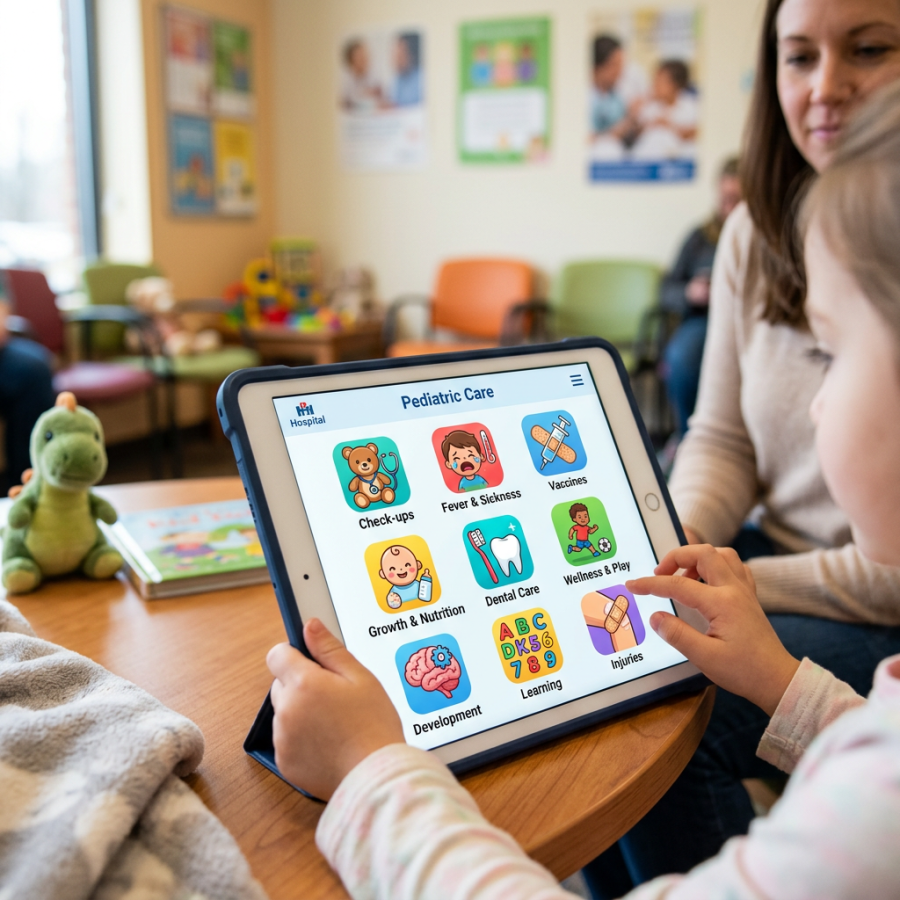
Tablet screen showing pediatric care app with icons for check-ups, fever, vaccines, nutrition, dental care, play, development, learning, and injuries

5 Ways I Use My iPad at the Pediatric Point of Care

by Natasha Burgert, MD

I love experimenting with different ways to use technology within my pediatric practice. The iPad has been an amazing device to adapt and use with my families. Here are 5 different ways I use the iPad with my patients at the point-of-care.  
  1. Referring. I have entered my favorite subspecialty providers into Contacts; including their name, address, phone number, and website URL. I list providers by specialty with “pediatric” preceding each listing in order for the contacts to be close to each other. If a referral is needed, I ask the family if I may send them an email with the information. For those who agree, I select the contact information, copy, and paste it into the body of a blank email. I send the email from an account specifically designated for this use – all before I leave the exam room.
  2. Sharing. I draw, doodle, and make lists when I talk to families. I now use a basic whiteboard app and a stylus to create digitally what I previously created with pen. And, instead of leaving my doodle in the chart, I can easily email my finished “masterpiece” to a parent’s inbox. Sharing in this way allows easier discussion with family members who may have not been at the appointment.
  3. Showing. Our practice website has interactive features, symptom guides, and social media links. I dramatically increase patient involvement with our site by providing simple instruction and direction with the website in my lap.
  4. Developmental “testing.” I have downloaded numerous apps for toddlers, preschoolers, and older kids in order to interactively assess developmental skills. For example, can a 1-year-old point at this picture with one finger? Can a 3-year-old match colors and shapes? Can a 5-year-old write her name on the whiteboard? Can a 7-year-old duplicate a mathematical pattern? The intuitive nature of the iPad allows interaction to happen with minimal instruction, and can occur while I am addressing parent questions and concerns.
  5. Distracting. The iPad’s novelty and magnetism can slow down even the most feisty 3-year-old. I can’t count the number of tympanic membranes I have been able to clearly examine when a child has been engaged with a game or e-book. I ask the parent to sit the child on their lap and engage the child with a simple activity. Parents can keep two hands on the iPad, while I can quickly get the exam completed.
I do not have any vested interest in Apple, or any apps mentioned in this post. Natasha Burgert is a pediatrician who blogs at KC Kids Doc.
 

Scott Rennie, D.O.
Board Certified in Obesity Medicine and Family Medicine

This blog is for educational purposes only and does not constitute individual medical advice. Always consult your own physician before making changes to your health, medications, or treatment plan.
A tablet and a stethoscope on a wooden desk beside a closed notebook

What the Apple iPad Might Mean for the Future of Medicine

This article was written back in August on nursingschools.net blog, but I think it’s interesting and discusses how the iPad may be one solution to help health care providers in Medicine. New technology has the potential to change the way we do things, from changing a single part of a routine to altering the game plan entirely. Many have lauded Apple’s new iPad as one of these revolutionary technologies, and one that has great potential to be used in fields like education, business and even medicine. Whether or not the iPad can truly revolutionize the way treatment is carried out at hospitals around the nation is yet to be seen, but there is a lot of buzz about it, and more and more facilities are willing to give it a try in their day-to-day practice. If you’re curious about what the iPad could mean for medicine, from nursing schools to nursing homes, take a look at these potential applications, articles and even apps to see what the iPad could change, make easier, and streamline for medical facilities. Applications There are a wide range of ways that the iPad has been suggested for use in the hospital setting. Here are just a few applications that can show you what the iPad could mean for changing the way you do patient care in your hospital. • Accessing patient records. The iPad makes it simple to bring up and page through all kinds of patient records, including photos, radiology images, and much more. • Writing prescriptions. For hospitals with digital prescription systems, or even ones without, writing and getting a prescription filled for a patient could easily work with the iPad at the touch of a button. • Looking at x-ray images. Radiological images are already available to view on the iPhone with the right apps, but with the iPad, doctors and nurses will be able to see the images in a much larger size, making them more useful to the professionals and patients alike. • Sharing information with patients. With its fairly large screen, the iPad makes it possible to easily show patients images and information related to their treatment. And a better informed patient is more likely to be at ease and happier with treatment. • Communicating with hospital staff. Keeping in touch with those you work with in different parts of the hospital or even in different medical facilities altogether is incredibly easy with the functionality provided by the iPad. • Quickly finding images and diagnoses for patients. Not sure what exactly a bump or rash means on your patient? The iPad makes it simple to look up medical reference information with high resolution photos so you can improve the accuracy of your diagnoses. • Looking up other medical cases. If you’ve got a particularly difficult case to crack, you might need to do a little research. The iPad, working with some great apps, can help you do the research you need, contact other specialists and find the right information for the best treatment. • Sharing and publishing medical research. With the iPad, you’ll be able to read the latest research being done and even share your own discoveries as you’re making them, keeping you in the loop and helping doctors all over the world deliver the best care. • Taking patient history. While pen and paper can work fine for getting a patient history, taking it on the iPad means it can be instantly accessible for other doctors and nurses in the hospital and that it can be retrieved and modified in an instant. • Managing patient care. The iPad can make it simple to manage almost every level of patient care. Taking patient history, finding a diagnosis, writing prescriptions, sending a referral, helping patients understand their conditions and much more can all be done from one simple, easy-to-use device. Benefits Why use the iPad in a hospital and not some other form of technology? Here are some of the main benefits the device has to offer. • It’s small and portable. Doctors and nurses can easily carry the device around or stow it away in their pockets, keeping records, information and contacts close at all times. • It can make retrieving information a snap. The iPad’s processor and functionality make it simple and quick to pull up things like patient records at a moment’s notice and help medical personnel deliver care quickly and accurately. • It offers more visibility than a smartphone. Many doctors have been using the iPhone or other smartphones to do many of the things the iPad does, but the larger screen on the iPad means more visibility, making information easier to see, access and even share with patients. ‘• It’s relatively inexpensive. While the iPad isn’t exactly cheap, it can be as cost effective as a laptop, but with increased mobility that can make it especially useful in a hospital setting. • There are no additional fees. So long as you use your iPad on a local wi-fi server, you won’t need to incur any additional fees to use it. That can be a big savings from an iPhone which requires cell and data plans. • There’s a long battery life. Longer time without a charge means it can be used throughout the day without having to take a break, sometimes ten hours or more, something other tablets can’t match. • It could potentially interface with existing iPhone and mobile devices. Sharing information between two Apple products shouldn’t be a problem and could make it easy to transfer information and access it from multiple points. • There’s a small learning curve. The iPad is new, but it draws on technology from existing devices, so many will already be familiar with how to use it. And with a simple interface, even the most technology impaired can figure out how to use it. • It makes communication easy. Both within a medical facility and with other treatment facilities, the iPad can make sending, sharing and keeping track of patient information incredibly easy. • It is versatile. It could be carried around by medical personnel, mounted at the foot of patient beds, used by doctors, nurses, radiologists, pharmacists– the list goes on. And as the technology advances, the potential uses for it will as well. Disadvantages Using the iPad in a medical setting isn’t a perfect solution. Here are some ways that the product might not deliver and could mean needing more equipment to get the job done. • No Flash compatibility. Flash videos simply won’t play on Apple products, and it doesn’t look like Apple and Adobe will be coming to an agreement anytime soon. This could limit the types of medical information you can access. • No camera. If you need to take pictures of your patient’s condition, want to video chat or even just share images of your practice, you’ll need to use another device. Some suspect later versions of the iPad will have this function, but the current ones simply do not. • No Mouse. Those who use a lot of mouse-heavy applications may find themselves growing tired of scrolling and clicking with their fingers on the iPad. The iPad does not work with Apple’s bluetooth mouse. • Durability. The iPad is a pretty sturdy device, but it is yet to be seen how it would hold up against heavy, everyday use in a hospital setting. Additionally, because it’s always being carried, there’s a good chance it will be subjected to a drop or two. • You can’t swap batteries. While the iPad’s battery may last a long time, the fact that it can’t be swapped out for a fresh one makes it hard to use between different shifts and maintain continual care. Articles If you’d like to read more about how the iPad is impacting the practice of medicine, these articles are especially informative and useful. • iPad review for doctors: A hands on guide for medicine: If you’re working in the medical profession, check out this review of the device from a doctor’s perspective to see how it could be useful to you. • Apple’s iPad Health Impact for Doctors and Hospitals: Read this article to see how the iPad could change how you practice medicine. • Is the iPad About to Change Emergency Medicine?: In this post, you can read more about the potential for using the iPad in emergency medicine. • Japanese Surgeon Uses an iPad in Operation: Doubting the usefulness of the iPad in medicine? This Japanese doctor shows one way it can be a big help during surgery. • Medicine is the Apple iPad sweet spot: This writer talks about how the iPad is ideal for the medical setting. • Apple tablet reps spotted at LA hospital: Here, you’ll see that the iPad may have been designed partly with medical professionals in mind. • The iPad in Medicine: The Good, the Bad, and the Germy: Read about both the positives and the negatives that come with using the iPad in a medical setting here. • The iPad in Healthcare: A Game Changer?: Learn how the iPad could potentially change the way medical treatment works from this article. • iPhone Versus iPad In Healthcare: Read through this article to see the differences between using the iPhone and iPad in medicine and the advantages of each. • With the iPad, Apple may just revolutionize medicine: In this Washington Post article, Martha White explains how she thinks the iPad may truly change how doctors interact with patients and how hospitals run. Medical Apps Hoping to give the iPad a try in your medical facility? Consider these apps as great additions to the technology. • Blausen Human Atlas: In this great resource, medical professionals will find 3D images of the human body along with handy images and videos explaining a wide range of medical conditions. • Visual Dx Mobile: Not entirely sure what that rash is on your patient? Through this app, you’ll find images of thousands of dermatological conditions so you can make an accurate diagnosis. • Procedures Consult: Newbies to the medical field will love this app, with instructional videos on a procedures in a range of medical specialties, helping you know just what to do and how to do it. • Osirix: If you need to see radiology images on-the-go, this app can make it happen, with high quality and useful imagery at the touch of a button. • eFilm Mobile: This app is another mobile radiology tool, letting doctors and nurses easily take a look at scans from patients. • Papers: Check out this app for an easy way to look up new research papers, store them on your device and read them when you have a spare moment. • Lexi-Comp: Make sure your patients get the right medicines in the right dosages every time with the help of this prescription database. • MD on Call: For students, this can be an amazing tool for learning about some of the most common conditions they’ll be confronted with. They range from the simple to the complex, and courses of treatment are included as well, making it an excellent educational tool. • Medical History: With this application, doctors and nurses can capture, store and share a complete medical history of any patient. • ACLS Advisor: Again, this application can be a great tool for learning or as a refresher for doctors who don’t often deal with coding patients.

Scott Rennie, D.O.
Board Certified in Obesity Medicine and Family Medicine

This blog is for educational purposes only and does not constitute individual medical advice. Always consult your own physician before making changes to your health, medications, or treatment plan.

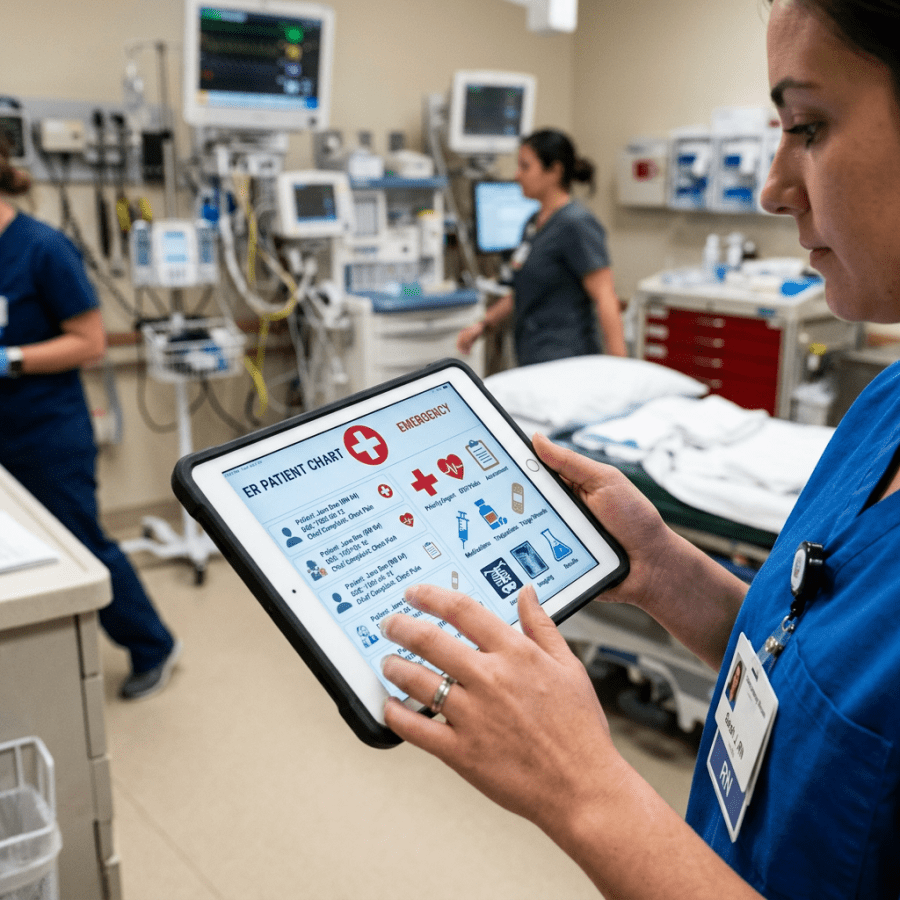
Nurse holding tablet displaying electronic ER patient chart with medical icons

Could the iPad Really Change Emergency Medicine Practice?

by Nicholas Genes, MD, PhD on May 12, 2010 A few of you might be reading this on your new or old  iPads. The rest of you are probably sick of the speculation and hype that Apple’s new tablet will transform the publishing world, just as the iPhone changed mobile phones and the iPod revolutionized the music industry. But a more relevant question for us is: “Can the iPad change the way we work in the emergency department?” I sure hope so. Because the nature of emergency medicine – the speed at which we have to work, the interruptions, the need for information, has forced some unfortunate compromises. Many departments are stuck with 20th century paper charting, depriving physicians of easy access to patient data and decision support in the name of efficiency. Other EDs have made the leap to electronic information systems, recasting doctors as glorified clerks, parked in front of computers, engaged in protracted data entry sessions, while the confused patients look on and wonder what could possibly be so important on that screen. Another option – docs with scribes in tow – is an expensive and awkward band-aid for this fundamental problem of workflow. The iPad offers a solution. Maybe it won’t happen with this specific iPad release. Maybe it won’t happen this year or next. But I expect emergency physicians will someday be able to wander through their department, moving patient to patient, with a tablet like the iPad tucked under their arms. During encounters, we’ll use iPads to tap on elements of the history or exam in, and enter orders – all very quickly at the bedside. These tablets will help us go over images and lab results with patients, and let us review diagnoses and instructions. In short, I think the iPad can liberate doctors from the desk-based tyranny of ED information systems and the shortcomings of the paper chart. Here’s why. The Operating System You might be wondering– isn’t the iPad just a bigger iPhone with fewer capabilities? After all, it can’t make calls or take photos. Well, you’re missing something: the iPhone, even without a camera or phone, is already a pretty amazing product (Apple markets it as the iPod Touch, and they’ve sold about 30 million of them). Putting this intuitive operating system behind a more powerful processor, bigger battery, and a much larger 9.7 inch screen (which translates to about 8 times the viewable area on an iPhone or iPod Touch), opens up a lot of possibilities. But let’s focus on the platform, first. Already Apple’s mobile operating system has apps that help physicians at work – the healthcare section of the app store is popular, and there’s dozens  of apps specifically for emergency medicine (a few favorites include EMRA’s antibiotic guide and WikEM, a physician-edited repository of EM pearls and formulas). Even with the small screen of iPhones and iPod Touches, this operating system has attracted interest from a variety of ED information systems (EDIS) vendors. Why is this operating system so compelling? For one, these devices just turn on and are ready to use (although you’d expect that with a smartphone; it’s still not standard among computers). With the iPad’s interface, unlike netbooks or laptops, there’s never any searching for files or folders, or wrestling with uninstalls and malware. Navigating and launching apps is easy, and getting new ones through the App store is, too. While Palms and handheld Windows devices have offered programs like notepads, calculators and ePocrates for a decade or more, it’s only when Apple entered the handheld market that these apps became fast and slick enough to completely abandon handbooks and scraps of paper. But just as importantly, Apple has put forth some elegant design precepts for their apps, and forces developers to stick to them. Instead of multi-tiered menus, apps should have intelligently laid out buttons and easily navigable screens. Selections are optimized for fingers, instead of mice or styli. You move through screens by swiping, instead of clicking tiny scrollbars. You choose options by flicking through a slot-machine-like wheel, instead of drop-down lists. You zoom in and out by pinching with your fingers. We’ve never seen an EMR based on this elegant interface, though certainly people think it’s desirable (Mandl, Gamble refs). Current ED information systems have evolved haphazardly – the rush to add features and maintain interoperability has left them bloated, slow, and difficult to navigate. In the past decade, hospital experiments with tablet PCs haven’t taken off, despite obvious benefits of portability (Cockerham ref). The problem was these Windows-based tablets were running similar EMR software as found on desktop PCs, only with a stylus instead of a mouse. These portable systems brought all the frustrations of desktop charting and order entry into a miniaturized (but still heavy, and unnaturally warm) tablet. Bringing cumbersome screens full of menus and checkboxes to the bedside isn’t the solution; the EDIS needs to be reimagined for tablets. And while the cost of this software is very much an open question, the hardware cost – $500 for a basic iPad – ought to be pretty attractive for administrators. This is not only cheaper than most desktops PCs with monitors, but should be easier to support and maintain. The Form Factor The iPad weighs about a pound and a half. It’s half an inch thick, and couldn’t cover up a standard sheet of paper. So, while its big glossy screen has understandably rejuvenated the prospects of the publishing world, it shouldn’t be too cumbersome to carry around. Maybe moving with the iPad can’t be as straightforward as shoving an iPhone in your pocket, but it ought to be preferable to walking back and forth between patients and desktop EMRs, or toting a clipboard with a T-sheet. And already, a host of accessories has sprung up to augment the iPad, just as with the iPod and iPhone before it.  There are already shock-resistant cases and grip sleeves with shoulder slings. There are even waterproof cases (some that look suspiciously like zip-loc bags). I don’t doubt there’ll soon be cases with extra battery power, giving a boost to the iPad’s non-swappable battery (said to last 10 hours while displaying video, perhaps less if constantly accessing a network). As part of a group that thinks nothing of wearing stethoscopes around our necks, I think docs will find a way to comfortably carry an iPad. Next Steps I doubt we’ll see a fully integrated and comprehensive ED information system spring forth on the iPad this year. Instead, I think administrators warm up to the device’s potential with already existent apps that provide different aspects of a comprehensive system. First, perhaps, the department will buy some iPads for patient education apps which, given the device’s screen and multimedia capabilities, can make efficient teaching tools. Then, maybe, an investment in a radiology app that interfaces with your hospital’s PACS, or an app with discharge instruction templates and prescription writers that, through Bluetooth or network connections, prints to your nearest location. ED-specific apps might be implemented next, like a tracking board to monitor patients’ bed status or vitals. I expect Dragon and other voice transcription software to enter the marketplace, either with a standalone app that can export transcriptions to charts, or with integration in a vendor’s system. Eventually, I expect a vendor will release an app that does it all, seamlessly interfacing with the enterprise, offering charting, computerized order entry, bed tracking, results review, and admission and discharge pathways.  It won’t look like any system we’ve seen for desktop PCs. That’s why I think it’ll change the way we work. Trailblazers: a few health care Apps that are already leading the way Epic’s Haiku For hospitals and clinics with the latest version of Epic and a Haiku license, Haiku lets authorized clinical users on iPhone and iPod Touch (and now, iPad) securely access hospital patient lists, test results, notes and schedules. Airstrip A suite of apps (including the only FDA-approved iPhone and iPod touch medical app) that provide HIPAA-compliant access to lab results and streaming data, including vitals, telemetry waveforms, fetal rhythms for OB, patient census and more. The app is free but hospitals have to buy Airstrip equipment and use compatible monitoring devices. eDr. Rx A standalone browser-based e-prescribing solution, already available on smartphones and now on the iPad. Departments sign up for a subscription to send new prescriptions to local pharmacies. Features include the option of integrating prescription data with the medical record. coActiv EXAM-PACS for iPad Enables secure DICOM querying of a hospital’s PACS, bringing a patient’s radiology images to the touch-screen iPad where they can be reviewed or mailed as JPGs. Allscripts Remote Optimized for iPhone or iPod Touch, this app can log into compatible electronic health records remotely, checking vitals, patient summaries, contact info, and enabling e-prescribing.

Scott Rennie, D.O.
Board Certified in Obesity Medicine and Family Medicine

This blog is for educational purposes only and does not constitute individual medical advice. Always consult your own physician before making changes to your health, medications, or treatment plan.

Tablet on a stand beneath a desk lamp on a wooden desk

Apple’s iPad 2 Keynote on Changing How Doctors Practice

on 03/03/11
At the beginning of the iPad 2 event yesterday, Apple played a video that showed the various ways the iPad had been utilized in 2010 –  from the classroom to sales teams.  The video also spent time featuring how the iPad has been used in medicine. Dr. John Halamka, Chief Information Officer of Beth Israel Deaconess Medical Center, who we have mentioned numerous times in the past, was featured in the “2010, the year of the iPad” video.  He talked about how the iPad is being used in the physician workflow, and how physicians are able to spend more time with patients because of the iPad. Apple’s video showed physicians interacting with their iPads in a few different manners: *A physician was shown displaying a patient’s EKG results to them. *A physician was shown displaying gastrointestinal pathology to a patient, focusing on the gallbladder, and most likely explaining to a patient the mechanism of cholecystitis, or prepping them for a cholecystectomy. *A physician is shown using a DICOM viewer that enables them to go through a patient’s radiology images with them at bedside. But the ultimate quote of the Apple video, by Dr. Halamka, who truly is  one of the unique innovators in not only medicine but technology as a whole (we encourage you to read his blog):
The iPad will change the way doctors practice medicine
This bold statement, and Apple featuring the iPad in medicine, could be signs Apple is going to take the mobile healthcare field more seriously. At the very least, it shows Apple is aware of the significant impact the iPad is having on medicine, and the potential it holds. Steve Jobs himself said during the keynote speech, when referencing the plethora of apps available for the iPad: Steve Jobs:
…a lot of apps for business, and vertical markets, like medical
Other key uses shown in the video — How the iPad has changed the lives of kids with autism. This is something we have featured multiple times before, and it was nice to see Apple acknowledge the developers who have created transformational apps enabling children with autism to communicate better. Source: Apple Keynote Video (11:40 minute mark)

Scott Rennie, D.O.
Board Certified in Obesity Medicine and Family Medicine

This blog is for educational purposes only and does not constitute individual medical advice. Always consult your own physician before making changes to your health, medications, or treatment plan.