
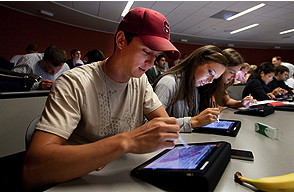
 First-year medical students Jonathan Dunlap, Lizzy George and Stacie Vilendrer learn how to use their new iPads for lectures and studying, as part of a training for the new class that the School of Medicine provided on Aug. 20.
Steven Sloan pointed to his laptop screen, which displayed a tiny diagram of a molecular structure that he needed to memorize for his molecular foundations of medicine class. He was hanging out in the student lounge along with several other Stanford medical students a few weeks after the start of the new school year.
“You can’t even see that,” said Sloan, a University of Miami graduate, who squinted at the image on his computer screen. “But on the iPad, you can just touch the screen to enlarge it.” Then he reached into his backpack to pull out his new iPad, eager to show off its amazing imaging technology.
Sloan is one of the 91 medical and master’s of medicine students who began class Aug. 23 with school-provided iPads for the first time. In addition to getting used to the intensive first-year course load — diving into applied biochemistry and disease mechanisms, genetics and anatomy — the students are experimenting with their iPads trying to figure out how to best use the mobile devices to enhance learning.
Stanford’s medical school joins a small but growing group of educational institutions across the nation experimenting with iPads as a way to lighten the load of textbook-toting students, and to learn how best to teach an extremely tech-savvy generation of students who’ve grown up in a wired world.
RELATED NEWS
“So far so good,” said Brian Tobin, the school’s instructional technology manager who helped hand out the iPads on Aug. 19 during orientation week, adding that it’s still a work in progress. “Everyone is doing their own thing,” said Tobin “Some students are learning on it really well. Others have decided that laptops are still the best option. Some still use paper. And others use some mix of all three.”
Tobin had earlier addressed the students at an Aug. 20 tutorial on how to use their iPads and had pointed to a 2-foot pile of binders. “This is the material for one course,” he said. “We want to get you started going paperless. There’s a lot less for you to carry around. … We want you to use the iPad when working with your cadavers in anatomy, or viewing slides in pathology.”
But because this is breaking new ground, he added that the faculty want to see how the students decide to use the iPads themselves. “No one has to use the iPad exclusively, or even at all,” Tobin told the students.
Jamie Tsui/Stanford EdTech
First-year medical students Jonathan Dunlap, Lizzy George and Stacie Vilendrer learn how to use their new iPads for lectures and studying, as part of a training for the new class that the School of Medicine provided on Aug. 20.
Steven Sloan pointed to his laptop screen, which displayed a tiny diagram of a molecular structure that he needed to memorize for his molecular foundations of medicine class. He was hanging out in the student lounge along with several other Stanford medical students a few weeks after the start of the new school year.
“You can’t even see that,” said Sloan, a University of Miami graduate, who squinted at the image on his computer screen. “But on the iPad, you can just touch the screen to enlarge it.” Then he reached into his backpack to pull out his new iPad, eager to show off its amazing imaging technology.
Sloan is one of the 91 medical and master’s of medicine students who began class Aug. 23 with school-provided iPads for the first time. In addition to getting used to the intensive first-year course load — diving into applied biochemistry and disease mechanisms, genetics and anatomy — the students are experimenting with their iPads trying to figure out how to best use the mobile devices to enhance learning.
Stanford’s medical school joins a small but growing group of educational institutions across the nation experimenting with iPads as a way to lighten the load of textbook-toting students, and to learn how best to teach an extremely tech-savvy generation of students who’ve grown up in a wired world.
RELATED NEWS
“So far so good,” said Brian Tobin, the school’s instructional technology manager who helped hand out the iPads on Aug. 19 during orientation week, adding that it’s still a work in progress. “Everyone is doing their own thing,” said Tobin “Some students are learning on it really well. Others have decided that laptops are still the best option. Some still use paper. And others use some mix of all three.”
Tobin had earlier addressed the students at an Aug. 20 tutorial on how to use their iPads and had pointed to a 2-foot pile of binders. “This is the material for one course,” he said. “We want to get you started going paperless. There’s a lot less for you to carry around. … We want you to use the iPad when working with your cadavers in anatomy, or viewing slides in pathology.”
But because this is breaking new ground, he added that the faculty want to see how the students decide to use the iPads themselves. “No one has to use the iPad exclusively, or even at all,” Tobin told the students.
Jamie Tsui/Stanford EdTech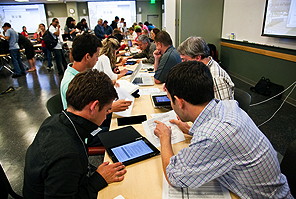 Staff help students Aug. 19 to set up the iPads they just received.
An early head count shows 68 students are using the iPad exclusively for note taking; eight are using laptops exclusively; about eight more are using the paper version of the course syllabus; and the rest some variation thereof.
School officials will conduct regular surveys to gauge how the students choose to use the devices as the semester progresses.
Sloan and two friends who were in the student lounge the second week of school talked about how everyone uses the iPad a bit differently, each adapting the device’s strengths to their own preferences for how best to study and learn. There’s a lot of excitement about the devices, mixed in with a twinge of skepticism and an appreciation for the school’s willingness to try something new.
Christine Nguyen, a Yale University grad, said she uses the iPad about 20 percent of the time, and uses her laptop the remainder for studying and in lectures. But she loves it for anatomy. In anatomy class, students have traditionally used colored pencils to shade in the various body parts in an anatomy manual.
“Look at this,” Nguyen said, pointing to the rainbow of colors in an iPad program used for annotating documents. Simply touching a different color changes the highlighting. “It’s so useful for drawing in anatomy class. It’s a lot of fun. You customize it the way you want to use it.”
Norbert von der Groeben
Staff help students Aug. 19 to set up the iPads they just received.
An early head count shows 68 students are using the iPad exclusively for note taking; eight are using laptops exclusively; about eight more are using the paper version of the course syllabus; and the rest some variation thereof.
School officials will conduct regular surveys to gauge how the students choose to use the devices as the semester progresses.
Sloan and two friends who were in the student lounge the second week of school talked about how everyone uses the iPad a bit differently, each adapting the device’s strengths to their own preferences for how best to study and learn. There’s a lot of excitement about the devices, mixed in with a twinge of skepticism and an appreciation for the school’s willingness to try something new.
Christine Nguyen, a Yale University grad, said she uses the iPad about 20 percent of the time, and uses her laptop the remainder for studying and in lectures. But she loves it for anatomy. In anatomy class, students have traditionally used colored pencils to shade in the various body parts in an anatomy manual.
“Look at this,” Nguyen said, pointing to the rainbow of colors in an iPad program used for annotating documents. Simply touching a different color changes the highlighting. “It’s so useful for drawing in anatomy class. It’s a lot of fun. You customize it the way you want to use it.”
Norbert von der Groeben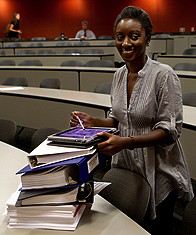 Second-year student Stesha Doku, who offers iPad lessons, stands next to one course’s syllabus, which can now be stored on the device instead of carried in a knapsack.
The iPads are equipped with iAnnotate, a note-taking software program that enables students to write directly onto text, to sketch diagrams, to copy text and add highlights or underline with the drag of a finger.
Some of the students’ textbooks are available digitally, and school officials hope more electronic texts will be in the future to further lighten the load of the students’ backpacks and save on paper.
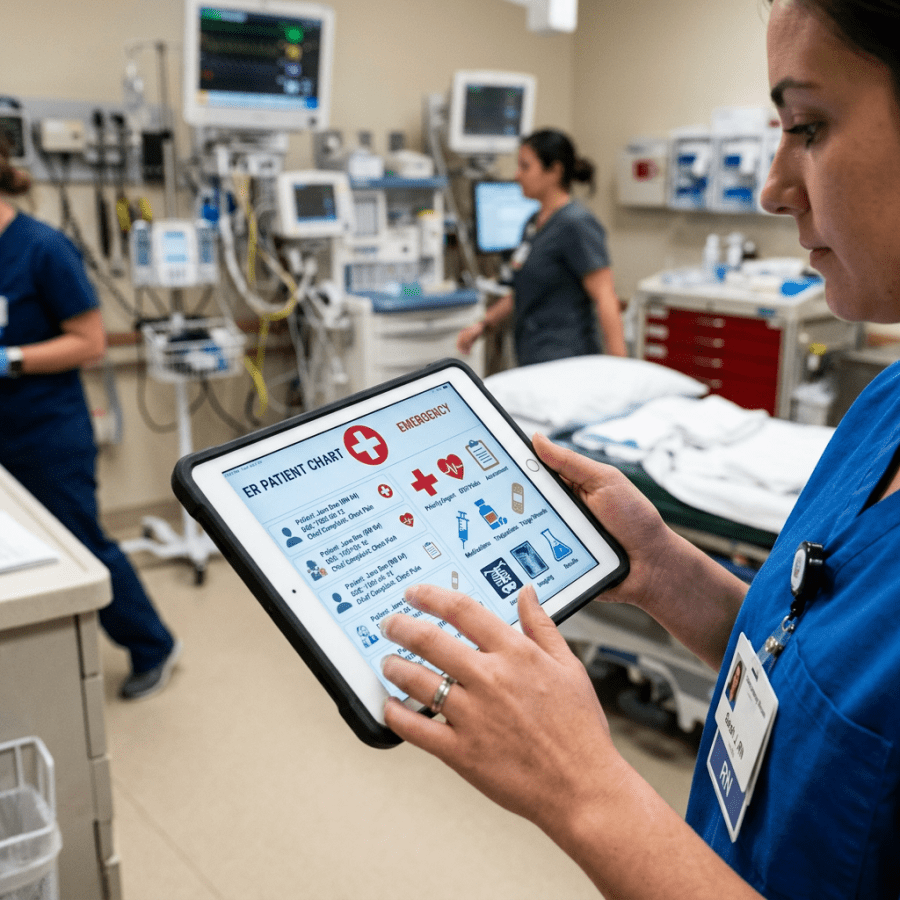
Henry Lowe, MD, senior associate dean for information resources and technology, said he uses an iPad himself as a physician and found the device extremely helpful. “It’s quite popular with physicians,” he said. “Physicians are mobile. They move around from clinic to clinic, from patient to patient. It’s a nice, lightweight, portable device.”
First-year medical student Abdullah Feroze of New Mexico, who described himself as a “paper-and-pencil” kind of guy, appreciated that learning how to use an iPad now could be beneficial for his future as a doctor, given the move toward electronic health records for patients.
“It will be an interesting experiment,” he said.
Second-year student Stesha Doku, who offers iPad lessons, stands next to one course’s syllabus, which can now be stored on the device instead of carried in a knapsack.
The iPads are equipped with iAnnotate, a note-taking software program that enables students to write directly onto text, to sketch diagrams, to copy text and add highlights or underline with the drag of a finger.
Some of the students’ textbooks are available digitally, and school officials hope more electronic texts will be in the future to further lighten the load of the students’ backpacks and save on paper.
Henry Lowe, MD, senior associate dean for information resources and technology, said he uses an iPad himself as a physician and found the device extremely helpful. “It’s quite popular with physicians,” he said. “Physicians are mobile. They move around from clinic to clinic, from patient to patient. It’s a nice, lightweight, portable device.”
First-year medical student Abdullah Feroze of New Mexico, who described himself as a “paper-and-pencil” kind of guy, appreciated that learning how to use an iPad now could be beneficial for his future as a doctor, given the move toward electronic health records for patients.
“It will be an interesting experiment,” he said.
Scott Rennie, D.O.
Board Certified in Obesity Medicine and Family Medicine
This blog is for educational purposes only and does not constitute individual medical advice. Always consult your own physician before making changes to your health, medications, or treatment plan.
 Other key uses shown in the video — How the iPad has changed the lives of kids with autism. This is something
 Doctor Rennie's Blog